In 2026, 32 GB of RAM is the recommendation for gaming: with Discord, a browser, and OBS open, 16 GB falls short and stutter kicks in.
"Is 16 GB enough or should I grab 32?" That's one of the questions I get most often whenever someone's building or upgrading a PC. The honest answer has nuance, but the verdict is clear: in 2026, I'd go with 32 GB, no question. Here's why — based on what I actually see on my own rig, not the same old theory.
First, let me kill the easy headline: for gaming ALONE with nothing else open, 16 GB still holds up in most 2026 titles. If someone tells you 16 GB "aren't enough for gaming" anymore, they're exaggerating. But there's a catch in that "just the game" scenario, and that's exactly where reality lives.
The "just the game" trap: nobody actually plays like that
This is the crux of it. When someone measures a game's RAM usage and gets 10-12 GB, they conclude "16 is plenty." The problem is nobody in the real world games with everything else on their PC closed. While I'm gaming, I've got Discord open, Spotify running, a browser with several tabs, and sometimes OBS recording. Add it all up and 16 GB runs dry: the game takes its cut, Chrome spikes considerably, Windows reserves its share, and suddenly you're scraping the limit.
And when you run out of physical RAM, Windows falls back to the page file on disk, which is orders of magnitude slower. That's where the stutter comes from — the micro-hitches when you alt-tab, the game freezing for a second when you switch back to the window. It's not that your average FPS tanks: it's that frametimes go unstable at exactly the wrong moments. That's the real difference between 16 and 32 GB in normal use, and it doesn't show up in "just the game" benchmarks.
My experience: what I actually see in Task Manager
I'm not telling you this secondhand. I monitor RAM usage in Task Manager while I game, and it's something I'd recommend you do before making a decision: open Task Manager (Ctrl+Shift+Esc), Performance tab → Memory, and game for a while with everything you normally have open. Look at the actual peak, not the average.
When I went from 16 to 32 GB, the difference was noticeable — not in raw FPS, but in stability. Those alt-tab hitches disappeared, the system stopped feeling strained when I had half my life running in the background, and the overall feel went from a PC that's gasping to one with room to breathe. I keep stressing this because it matters: I didn't gain raw FPS, I gained consistency and stopped hitting the ceiling. That's what justifies 32 GB for me, and it's about multitasking — not because the game itself needs it.
First: everything eats more every year. New games need more RAM than they did three years ago, Windows isn't getting leaner, and browsers are memory hogs. Buying for "just what I need today" means running short next year.
Second: the price gap is small. The difference between a 16 GB kit and a 32 GB kit is modest compared to the rest of your build. It's one of the cheapest upgrades relative to the peace of mind it buys. Staying at 16 GB to save a little, only to have to upgrade in a year, doesn't add up.
Third: headroom so you stop worrying. With 32 GB you stop staring at Task Manager anxiously. Open whatever you want, record, load the browser up, and the game won't even notice. That peace of mind is worth the small premium.
The one caveat: if your budget is VERY tight and you're choosing between 16 GB of good RAM or 32 GB of bad RAM (slow, not dual channel), stick with the 16 GB properly configured. Which brings me to the next point.
More important than capacity: speed and dual channel
This is the mistake almost nobody tells you about, and it matters as much as the GB count. RAM isn't just "how many GBs" — it's how fast it runs and whether it's in dual channel. And on AMD Ryzen platforms like mine, this is hugely noticeable: CPU performance depends heavily on memory speed.
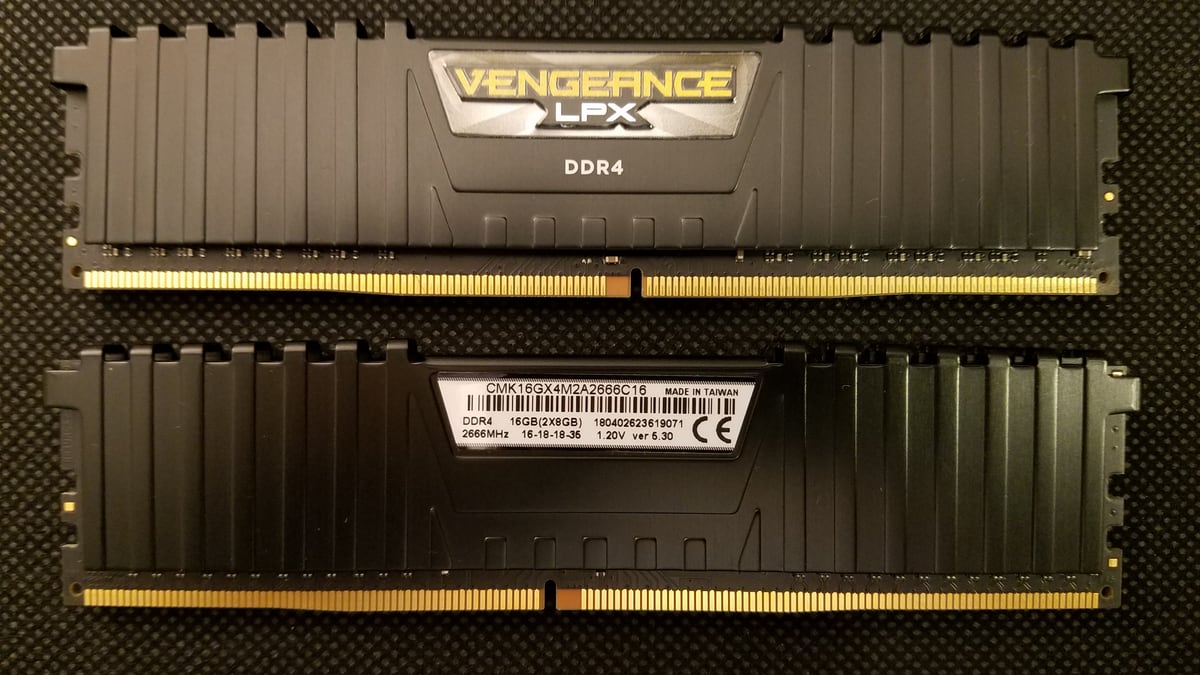
Dual channel means running your RAM as a pair (two sticks) instead of a single large stick. Two 16 GB sticks perform considerably better than one 32 GB stick, because the system accesses memory through two parallel channels. If you're going 32 GB, do it as 2×16, not 1×32. It's free — it's just a matter of picking the right kit — and it's the thing most people ignore.
And then there's frequency. My minimums for a smooth experience:
DDR4: minimum 3200 MHz. Below that you're leaving performance on the table, especially on Ryzen. 3200 is the sweet spot for price/performance on DDR4.
DDR5 (if you're on a new platform): start at 5000 MHz or higher. Don't cheap out on the minimum spec; slow DDR5 wastes your platform.
A platform note: if your build is AM4 (like my Ryzen 5 5600X), it's DDR4, full stop — you can't put DDR5 in there. DDR5 is for new platforms (AMD AM5 or recent Intel). So before buying RAM, check what your motherboard supports: buying "the fastest" doesn't help if your board can't run it.
The RAM Protocol
Summing up what I'd do today:
Capacity: 32 GB. 16 only if your budget forces it and you set it up right.
Configuration: always as a pair (dual channel). 2×16 beats 1×32.
Speed: DDR4 minimum 3200 MHz; DDR5 from 5000 MHz up. Always check what your board supports.
Before you decide: open Task Manager → Performance → Memory and check your actual peak while gaming with EVERYTHING you normally have open, not just the game.
Enable your XMP/EXPO profile in the BIOS: if you don't, your RAM runs at its base speed (slower), not the speed on the box. A lot of people buy fast RAM and leave it running slow.
That last point is gold and almost nobody knows it: buying RAM rated at 3200 and leaving it at 2133 because you didn't enable the profile in the BIOS is money wasted. One click in the BIOS (XMP on Intel boards, EXPO on AMD) and it finally runs at the speed you paid for.
Conclusion
For gaming with nothing else open, 16 GB still holds up in 2026. But nobody games like that: with Discord, a browser, music, and sometimes recording, 16 GB runs dry and stutter kicks in from hitting the memory ceiling. Given the small price difference and future headroom, in 2026 I'd go with 32 GB without a second thought.
And don't obsess over GB count alone: run dual channel (2 sticks), respect the speed (DDR4 3200+, DDR5 5000+) and enable your XMP/EXPO profile in the BIOS. RAM that's properly configured and running at rated speed outperforms higher-capacity RAM that's set up wrong. Once you've sorted your memory, the next bottleneck is usually software — which is why I'll leave you with my PC maintenance guide, because 32 GB won't help much if they're stuffed with bloatware loading at startup.
Frequently Asked Questions
Is 16 GB of RAM enough for gaming in 2026?
For gaming with nothing else open, 16 GB still holds up in most 2026 titles. But nobody games like that: with Discord, Spotify, a browser, and sometimes OBS recording, 16 GB runs dry. When you run out of physical RAM, Windows falls back to the disk page file, which is orders of magnitude slower, and micro-hitches and stutter kick in on alt-tab.
Is it worth paying more to go from 16 to 32 GB of RAM?
The price difference between a 16 GB kit and a 32 GB kit is modest compared to the rest of your build. With 32 GB you stop staring at Task Manager anxiously: you can open whatever you want, record, have the browser fully loaded, and the game won't notice. Staying at 16 GB to save a little, only to have to upgrade in a year, doesn't add up.
What is dual channel RAM and why does it matter for gaming?
Dual channel means running your RAM as a pair — two sticks — instead of one big single stick. Two 16 GB sticks perform considerably better than one 32 GB stick, because the system accesses memory through two parallel channels. If you're going 32 GB, do it as 2×16, not 1×32: it's free, you just have to pick the right kit.
What RAM speed do I need, and what is the XMP/EXPO profile?
For DDR4, the minimum is 3200 MHz; below that you're leaving performance on the table, especially on Ryzen. For DDR5 on new platforms, start at 5000 MHz or higher. Enable the XMP profile on Intel boards or EXPO on AMD from the BIOS: if you don't, the RAM runs at its slower base speed, not the speed on the box.