The jump from HDD to SSD is massive in gaming; between SATA and NVMe, in actual play, the difference is a blink. From someone who runs both in their own PC.
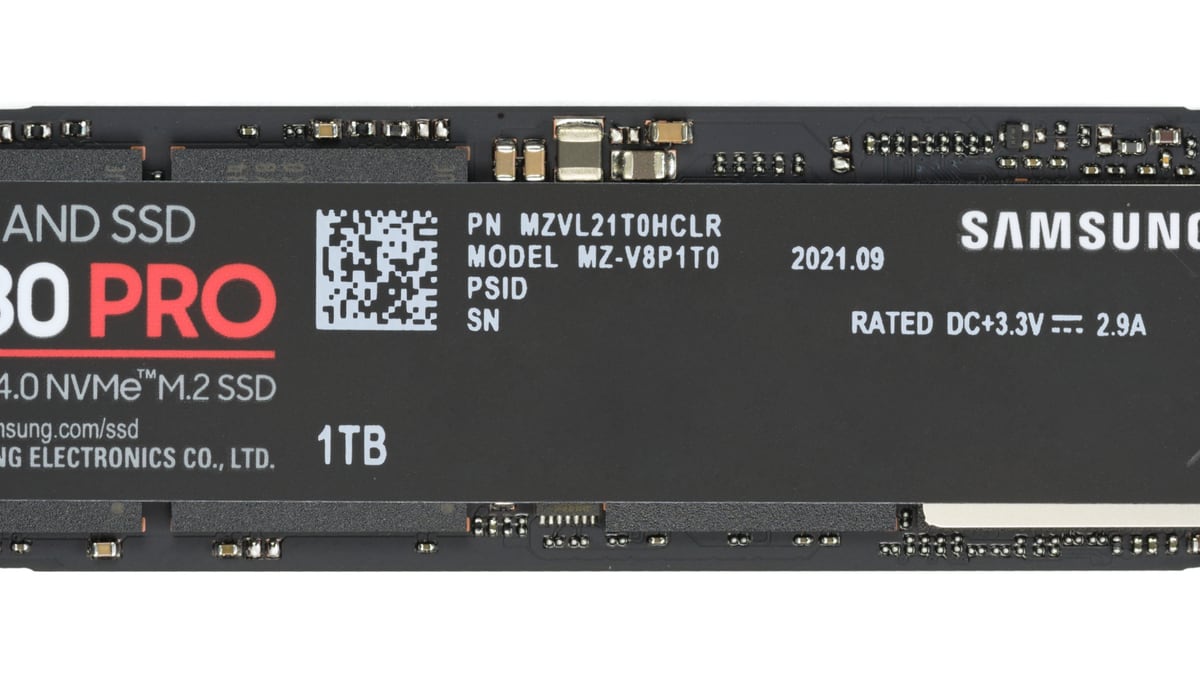
"Should I grab a fast NVMe or is a regular SSD fine?" It's the classic question when building a PC, and the industry pushes you toward impressive speed numbers that you'll never actually notice in gaming. I'll be straight with you — from my own rig, because I run both: a SATA SSD (Kingston 480 GB) and an NVMe (Samsung 1 TB). The short verdict: what actually matters is not having your games on a mechanical hard drive. Everything else is a footnote.
The Upgrade That DOES Make a Difference: HDD to SSD
If you still have your OS or games on a mechanical hard drive (HDD), this is the only thing you need to read: switch to SSD now. The jump from HDD to SSD is, by far, the biggest improvement I've ever felt in a PC. Not talking about subtle differences — I mean Windows booting in seconds instead of over a minute, programs opening instantly, and maps loading before you even have time to get bored.
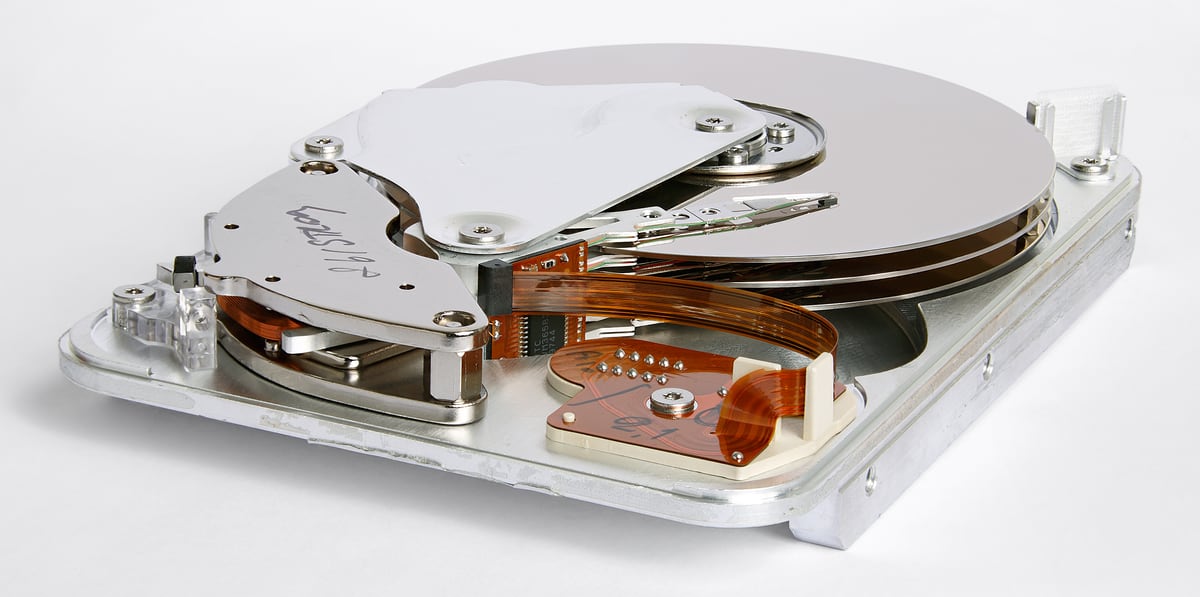
When I made that switch, it was one of the most transformative changes to my day-to-day experience, bigger than many GPU upgrades. An HDD is mechanical: there's a physical read head moving over a spinning platter. No matter how powerful your CPU or GPU is, if your game data lives on a mechanical drive, everything else waits on that read head. It's the most painful bottleneck — and the cheapest one to fix.
SATA vs NVMe: The Gap Marketing Blows Out of Proportion
Here's the nuance almost nobody tells you straight. Once you're on SSD, the difference between a SATA SSD and an NVMe in real gaming is far smaller than the numbers suggest.
On paper, an NVMe is several times faster than SATA: SATA tops out around 550 MB/s while an NVMe can push thousands. Impressive in benchmarks. But that raw speed is sequential transfer — copying large files — and it is NOT what determines how long your game takes to load. Load times in most games depend on many things (decompression, CPU, the game engine itself), and between my SATA and my NVMe the difference in loading a game is a blink, not night and day.
I have the OS and games split between the Kingston SATA and the Samsung NVMe, and in practice, actually playing, I don't notice games loading dramatically faster on the NVMe than on the SATA. Where I do notice the NVMe is moving large files, copying, or doing heavy disk work. For gaming, both get the job done easily.
So, NVMe or Not?
My take, no fluff:
The priority, the non-negotiable: your games (and Windows) should NOT be on an HDD. If they're on any SSD at all, you've already captured 95% of the benefit. That's the golden rule.
SATA or NVMe?: In 2026, the price gap between a SATA and a decent NVMe is small, so if you're building from scratch, just go NVMe — not because you'll feel a world of difference gaming, but because for a little more you get the modern format, it takes up less space (a tiny M.2 stick, no cables), and it's one less thing to deal with. But to be clear: if you already have a good SATA, don't rush to swap it for an NVMe expecting more FPS or noticeably faster game loads, because you'll be disappointed. Don't pay the premium on the fastest, most expensive NVMe chasing benchmark numbers you'll never see in-game.
One honest forward-looking exception: there are starting to be games that use technologies (like DirectStorage) that actually leverage NVMe speed for faster loading. Still not many, but it's the only technical reason an NVMe might have a real edge over SATA in gaming in the medium term. If you're buying with longevity in mind, that's a point in NVMe's favor.
Capacity Matters More Than You Think
A practical point that gets overlooked: 2026 games are huge. Seeing titles at 100 GB or more is normal. A 480 GB SSD like my Kingston fills up with four AAA games and the OS. That's why I split things between the SATA and the NVMe.
My capacity advice: for your primary drive with Windows and your everyday games, aim for 1 TB if you can. 500 GB runs out fast and you'll end up constantly uninstalling and reinstalling games (which, ironically, would be torture on an HDD but is manageable on an SSD). Having to juggle space every week gets old faster than the money you save by going smaller.
The Storage Protocol
Summary of what I'd do:
Golden rule: neither Windows nor your games on an HDD. If you're still on a mechanical drive, that's your next upgrade — ahead of almost anything else.
SATA vs NVMe: if you're building from scratch, NVMe (similar price, modern format). If you already have SATA, relax — you won't notice the difference while gaming.
Don't overpay: top-end NVMe with insane numbers is for content creators and bulk transfers, not your frame rate.
Capacity: aim for 1 TB on your primary drive. Games are hitting 100 GB and climbing.
The HDD, if you keep it: use it only as cold storage for things you rarely open (files, backups) — never for the game you're actually playing.
Conclusion
SSD is one of the best purchases you can make for your PC, but not for the reason they sell you on. What transforms your setup is escaping the mechanical HDD; that jump is massive and you feel it in everything. Between SATA and NVMe, in actual gaming, the difference is a blink: go NVMe if you're building from scratch because it costs about the same, but don't throw money at the most expensive model chasing numbers you'll never notice with a controller or a mouse in your hand.
Storage sorted, the other component that generates the most confusion is memory: check out my guide on how much RAM you need for gaming, because something similar happens there — people fixate on the wrong number. And if your PC feels slower over time even with an SSD, it's almost always software: I cover that in the maintenance guide.
Frequently Asked Questions
Is switching from HDD to SSD worth it for gaming?
Yes, it's the most impactful upgrade you can make to a PC. The jump means Windows boots in seconds, programs open instantly, and maps load before you even have time to get bored. Any SSD — SATA or NVMe — already gives you 95% of the benefit over a mechanical drive.
How much faster does an NVMe load games compared to SATA?
In real gaming, the difference is a blink, not night and day. Load times depend on decompression, the CPU, and the game engine — not just drive bandwidth. Where you do notice the NVMe is moving large files or doing heavy disk tasks, not while you're actually playing.
How much storage capacity do I need in an SSD for gaming in 2026?
Aim for 1 TB on your primary drive with Windows and your everyday games. 2026 titles weigh in at 100 GB or more, and a 500 GB SSD fills up with four AAA games and the OS. With less space you'll end up constantly uninstalling and reinstalling.
Is it worth paying more for the fastest NVMe for gaming?
No. Top-end NVMe with crazy numbers is aimed at content creators and bulk transfers, not gaming. If you're building from scratch, go NVMe because it costs about the same as a SATA and the M.2 format is more modern — but don't pay the premium for the most expensive model expecting more FPS or noticeably faster loads, because you'll be disappointed.